HP 39G
The HP 39G is a graphing calculator for school maths that Hewlett-Packard brought out in 2000 to follow the HP 38G. It keeps the 38G's aplets and its screen, but runs on the hardware design of the HP 49G with eight times the memory, and adds aplets for statistical tests and for exploring graphs.
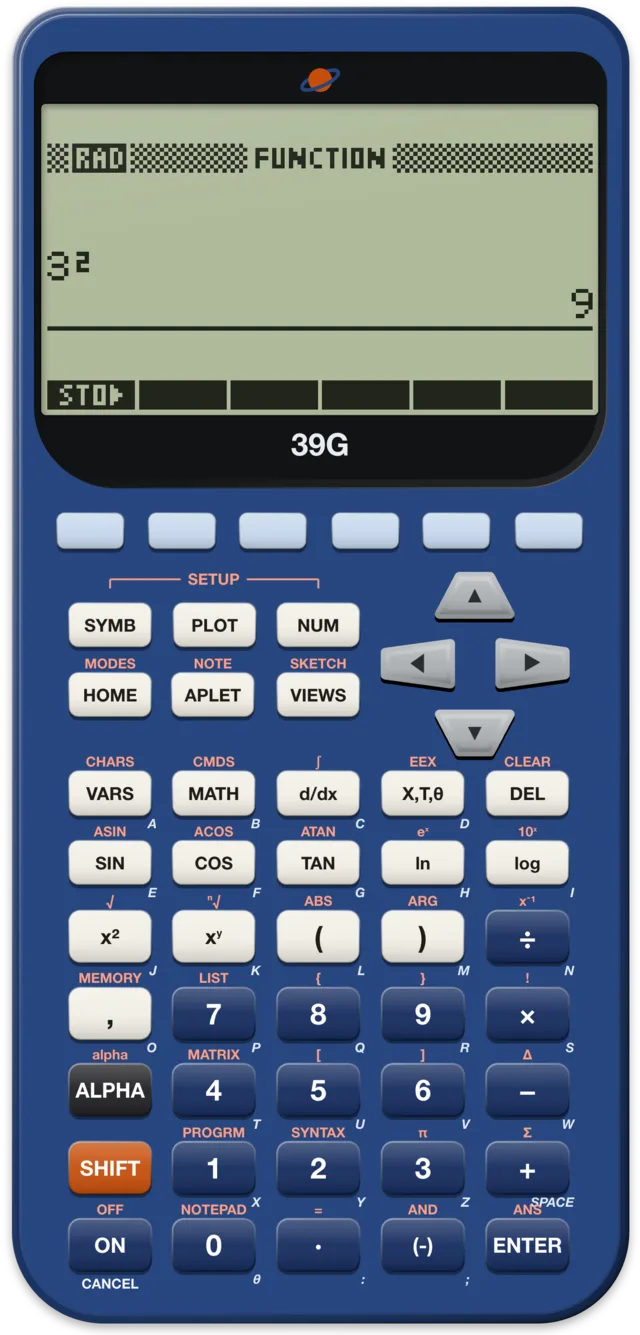
At a glance
| Introduced | 2000, at $79.99 |
| Discontinued | 30 May 2003 |
| Code name | Enterprise, shared with the 40G |
| Processor | Saturn core in HP's Yorke chip, 4 MHz |
| Memory | 256 KB RAM, 1 MB ROM |
| Display | 131 × 64 pixels, as on the 38G |
| Keyboard | 51 keys, laid out like the 49G's, with a SHIFT and an ALPHA key |
| Entry | Algebraic |
| Input and output | Two-way infrared; serial cable to a PC or an aplet disk drive; prints to HP's infrared printer |
| Power | Three AAA cells |
| ROM | One ROM for the 39G and 40G |
| Successor | HP 39g+, 2003 |
History
After the 38G
The HP 38G of 1995 had shown what HP wanted in a school calculator: aplets, small applications for one topic each, that a teacher can beam to a whole class. Its successor kept that idea and the same screen, and HP's user's guide for it lists what changed: a memory manager, a way to jump to a value on a plot, tracing along a regression curve, and three new aplets.
The bigger change was inside. The 38G had used the hardware of the 48G. The 39G is built on the newer HP 49G. Christoph Gießelink, who maintains the Emu48 emulator, writes that HP's calculator team wanted the new models to stay compatible with the 49G, which made the software easier to develop. The final hardware has 1 MB of ROM and 256 KB of RAM, where the 49G has 2 MB of flash memory and 512 KB of RAM. That is still eight times the 38G's 32 KB of RAM.
One design, two calculators
HP made two calculators from this design, both in 2000. The 39G, sold in the US, has the infrared port and no computer algebra. The HP 40G, sold in Europe and some other markets, has the 49G's computer algebra system and no infrared. Both run the same ROM. Wikipedia notes that the operating system finds out at start-up which model it runs on, and turns the features on or off to match.
Finseth's data sheet gives both models the code name Enterprise and a launch price of $79.99.
The end and what came after
By January 2003 the price was $69.99, and the 39G was discontinued on 30 May 2003. In September 2003 HP released the 39g+, with a 75 MHz ARM processor, USB and IrDA. The 39gs followed in 2006 and the 39gII in 2011. Wikipedia says the planned successor of the 39gII, with computer algebra, was dropped when its processor was discontinued, and the idea led to the HP Prime of 2013.
What makes it special
Aplets
The 39G's user's guide calls aplets "e-lessons" too. Each one explores one kind of problem, in three views: PLOT for the graph, SYMB for the equations and NUM for a table of numbers. The APLET key opens the library. These are built in:
- Function, Parametric, Polar and Sequence, for curves and sequences
- Solve, for equations in one or more variables
- Statistics, for one- and two-variable data
- Inference, new on the 39G
- Quad Explorer and Trig Explorer, two teaching aplets, also new
You save a changed aplet under its own name, with its equations, settings, notes and sketches. Many more aplets came from HP's web site and from teachers' sites, often with worksheets for students.
Inference
The Inference aplet adds statistical tests to the Statistics aplet. From one or two samples it finds confidence intervals and tests hypotheses for a mean, a proportion, or the difference between two means or two proportions, with the normal or Student's t distribution. Each test's input form starts with example data that gives a meaningful result, so a student can see what the test does before entering their own.
Explorers
The two teaching aplets show how the numbers in an equation shape its graph. Quad Explorer works with y = a(x + h)² + v, Trig Explorer with y = a sin(bx + c) + d. In one mode you change the equation and watch the graph move; in the other you move the graph with the arrow keys and watch the equation change. The original graph stays on the screen to compare with.
Sharing in class
Two 39Gs exchange aplets, lists, matrices, notes and programs by infrared: line up the triangle marks on the calculators' rims and hold them no more than 5 cm (2 inches) apart. The user's guide suggests it for handing out problems and for turning in homework. A cable connects the 39G to a PC running HP's Connectivity Kit, or to an aplet disk drive, and the infrared also prints to HP's 82240B printer.
HOME
As on the 38G, calculations happen in the HOME view, with algebraic entry and a history you can scroll. The d/dx key takes derivatives: in the Function aplet, define a function, then a second one as its derivative, and evaluate it.
In saturnus
saturnus runs the 39G with the ROM hpcalc.org offers for the 39G and 40G:
- The saturnng emulator, which saturnus compares its screens with on the 48 and 49 models, does not run the 39G, and no real 39G has been compared yet. Its start, reset, memory clear and arithmetic are covered by saturnus's tests.
- The speed is set as for the 49G, which has the same design; no real 39G has been timed for it. For long programs, switch to 2×, 4× or Max.
- Files can serve a folder to the 39G as the "disk drive" it sends aplets to and receives them from: on the calculator, APLET, then SEND or RECV, and "Disk drive…". Binary aplets, games among them, can also go over the calculator's wire transfer, "HP39/40 (Wire)". This works with the emulated 39G; with a real 39G on a cable (in Chrome or Edge on a computer) it has not been tried.
- The infrared port is not emulated, so beaming to another 39G or printing is not possible.
- There is no memory view for the 39G; it exists for the 48SX, 48GX and 49G.
The command reference lists the 39G's 209 functions with the keys that run them, and examples for 124 of them, run in saturnus.
Sources
- HP 39G/40G Graphing Calculator User's Guide: the aplets and e-lessons, the differences from the 38G, the Inference aplet, Quad Explorer and Trig Explorer, sending by infrared and cable, the 5 cm range, printing, derivatives, the batteries.
- Christoph Gießelink, Emu48 25 years: the 39G and 40G built on the 49G, one ROM for both, 1 MB ROM and 256 KB RAM, compatibility with the 49G as the goal.
- Finseth's HP calculator data: HP 39G: the code name, the price and its fall, the end of production, infrared and no CAS, sold in the US.
- Wikipedia: HP 39/40 series: the processor, RAM and display, the model found at start-up, the successors up to the HP Prime.
- Wikipedia: HP 38G: the 39G and, in Europe and other markets, the 40G replacing the 38G in 2000.